
TryHackMe – Conti room
Scenario: Employees reported issues accessing Outlook, and the Exchange admin couldn’t log into the Admin Center. During triage, ransom notes were found on the Exchange server, indicating a likely ransomware attack. The situation now calls for immediate investigation, log analysis, and response to identify the scope of the attack and how the threat actor gained access.
Executive Summary
This report details an investigation into a simulated Conti ransomware intrusion using Splunk log data provided in the TryHackMe environment. The objective was to expand on the given questions to further identify and understand the tactics, techniques, and procedures (TTPs) used by the attacker, following the MITRE ATT&CK framework where applicable. The investigation was approached from the perspective of a SOC analyst tasked with threat hunting, detection validation, and preliminary incident reporting.
Question 1: Can you identify the location of the ransomware?
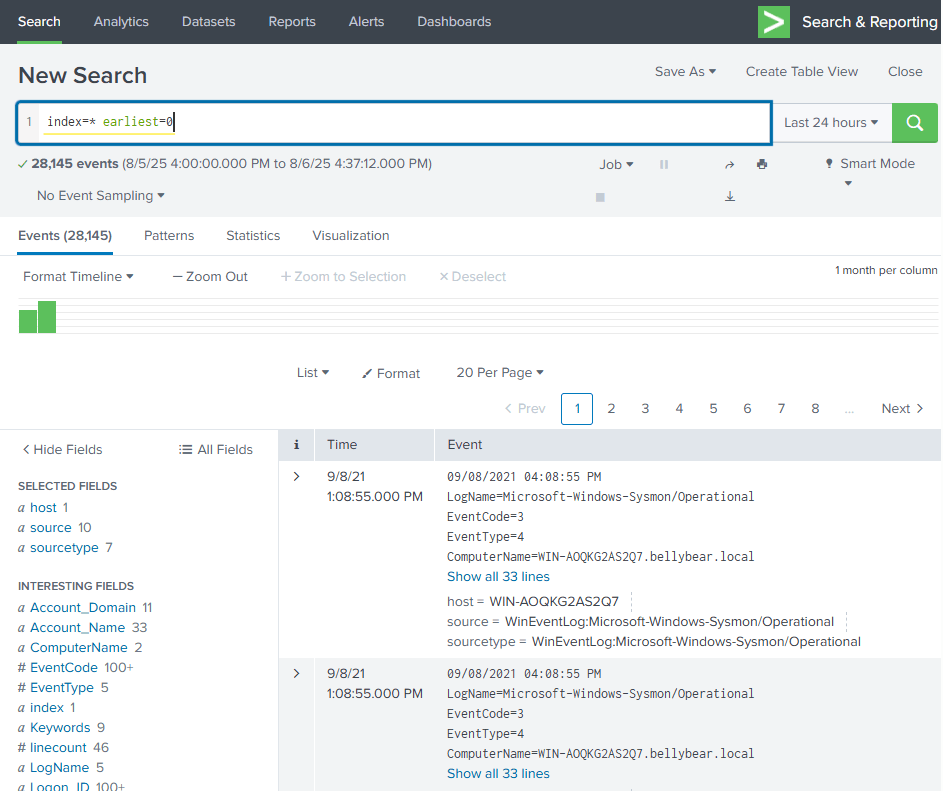
To begin the analysis, I perform a high-level survey of the available log data. This includes identifying all the key components in the environment such as Users, Hosts, Sources, etc. Then moving towards answering this question I started with a simple .exe search under EventCode = 11 for file creation to get a broad overview, and was surprised with the good results.

Only 8 results! This is a great start as it gives a much narrower starting point.
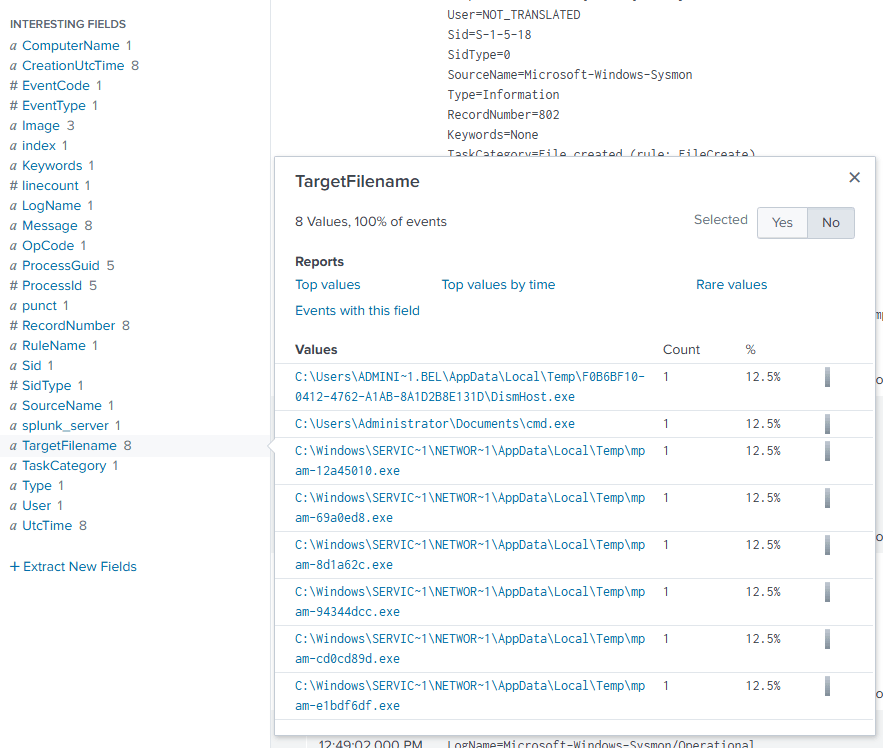
And already, just by simply getting narrow starting results and analyzing through the TargetFilenames listed in the fields, I have already found an unusual location which is the correct answer! Answer: C:\Users\Administrator\Documents\cmd.exe
Question 2: What is the Sysmon event ID for the related file creation event?
The last question answered this for us as I included the Sysmon EventCode in my previous search. Answer: 11
Question 3: Can you find the MD5 hash of the ransomware?
My initial thoughts in finding this hash was analyzing activity near the log where I found location of the ransomware. I did this by including a specific time in the search to analyze activity directly after the file creation.
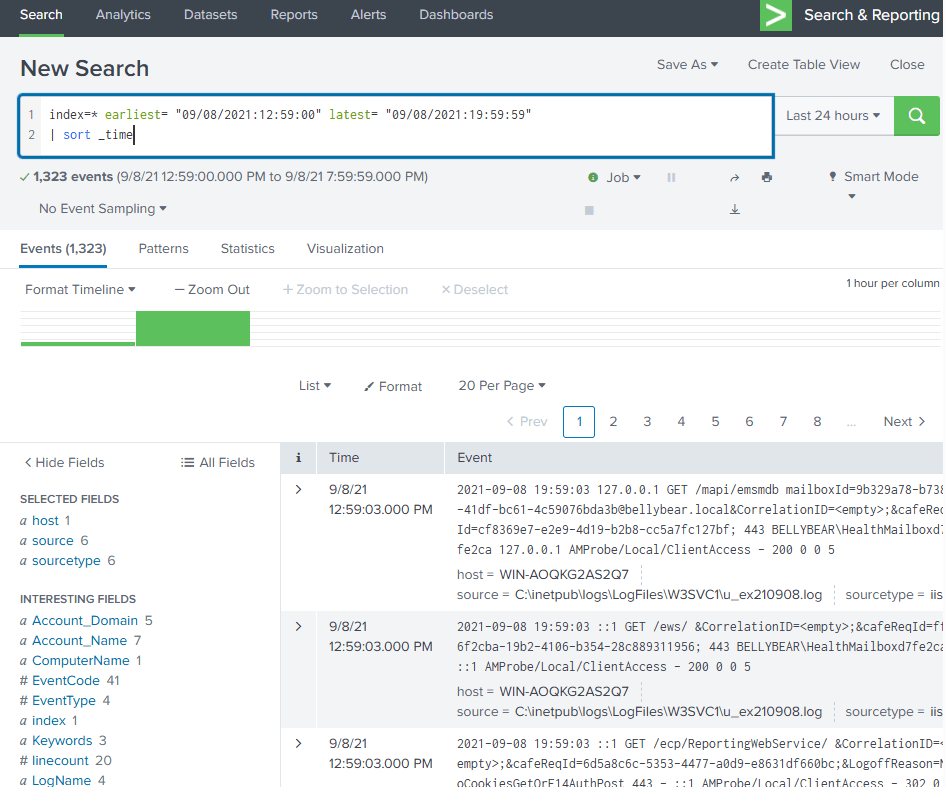
This did not end up yielding the results I wanted and wasn’t narrow enough. Next, I changed the search which included “(Hash OR MD5)” to yield only results with hashes. I then broadened the time frame and went through adding each of the fields (one by one) to obtain a precise result.
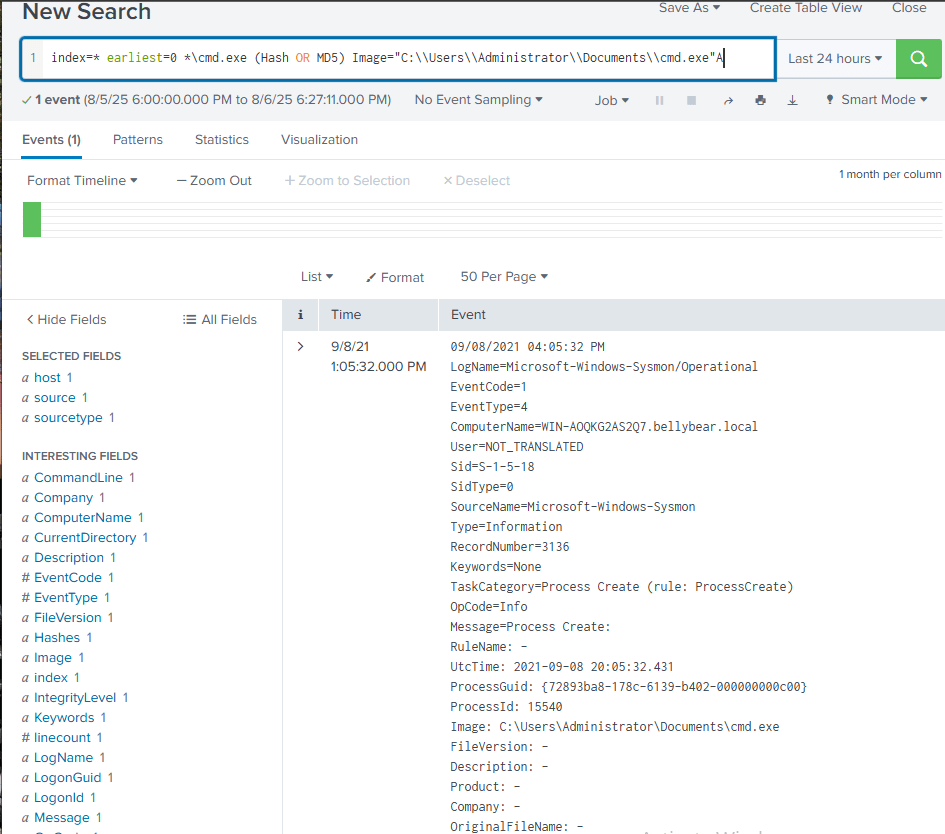
Adding the previously found “Image” field gave me the correct result and hash value. Answer: 290C7DFB01E50CEA9E19DA81A781AF2C
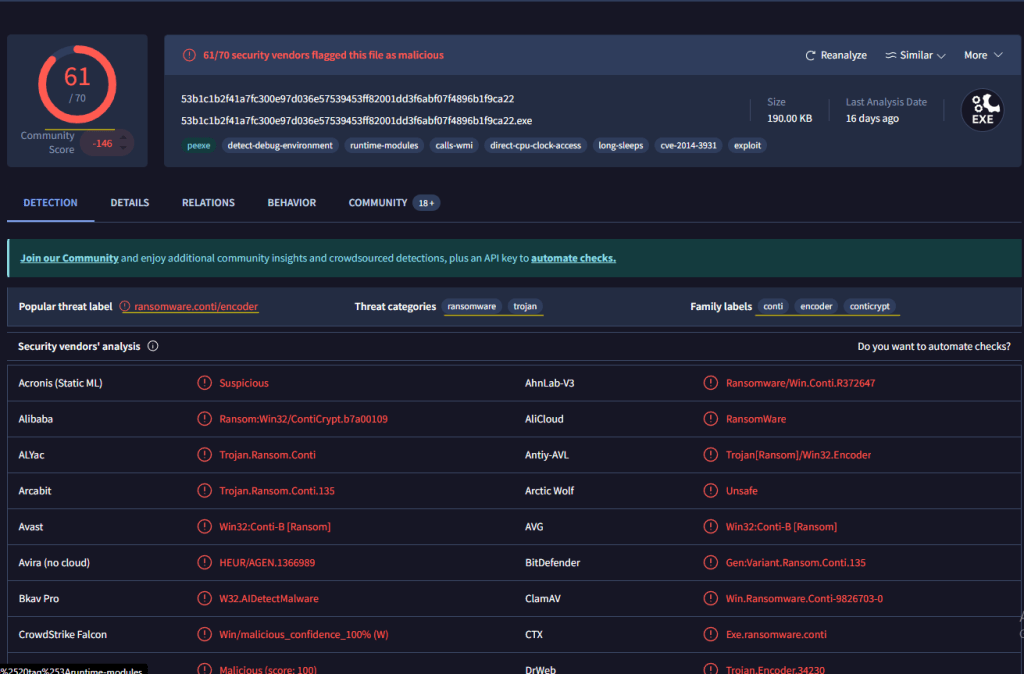
And to confirm this hash value is the ransomware, we can use VirusTotal.
Question 4: What file was saved to multiple folder locations?
For this question I immidiately altered my search back to EventCode = 11 for file creations. I needed a way to analyze the name of a file and where it was saved to — excluding how many times it was. I ended up with this search fairly quickly.

Question 5: What was the command the attacker used to add a new user to the compromised system?
I started this question with a simple EventCode = 4720 to see new user created events. I got one result which added the suspicious user securityninja, perfect! However, this specific log does not give me the command the attacker used. My next step is to discover the command used listed via the CommandLine field. Because I do not know the exact syntax for adding a user, I simply added securityninja to the search, along with “CommandLine=*” to find the answer. Answer: net user /add securityninja hardToHack123$

Question 6: The attacker migrated the process for better persistence. What is the migrated process image (executable), and what is the original process image (executable) when the attacker got on the system?
This answer may have been easy to get on accident as all I did was a search including SourceImage=* and TargetImage=*, and this only yielded two results. Afterwards, I consulted a couple different writeups for this room and it shows the best process is searching for EventCode = 8 for remote threads, which I now understand. Answer: C:\Windows\System32\WindowsPowerShell\v1.0\powershell.exe, C:\Windows\System32\wbem\unsecapp.exe
The reason for this migration would be for persistence (as mentioned in the question) but how? Simply put, unsecapp.exe is a legitimate WMI (Windows Management Instrumentation) process often abused by malware to hide or persist because it’s a trusted system process.

Question 7: The attacker also retrieved the system hashes. What is the process image used for getting the system hashes?
Simply by digging deeper into the previous answer (EventCode=8), we can see going from there newly migrated directory out to C:\Windows\System32\lsass.exe. We can infer that this target image is the answer to the question above because lsass.exe is the Local Security Authority Subsystem Service, which is a common target for attackers to extract things like credentials and system hashes because it handles sensitive security and authentication. Answer: C:\Windows\System32\lsass.exe

Question 8: What is the web shell the exploit deployed to the system?
I was unsure how to approach this question and failed to pull results from any keyword searching. Before using the “get hint” on TryHackMe, I consulted ChatGPT on what kind of shell extension I could search for such as .exe or something. ChatGPT listed off a couple different ones, and the first one I tried (.aspx) worked!
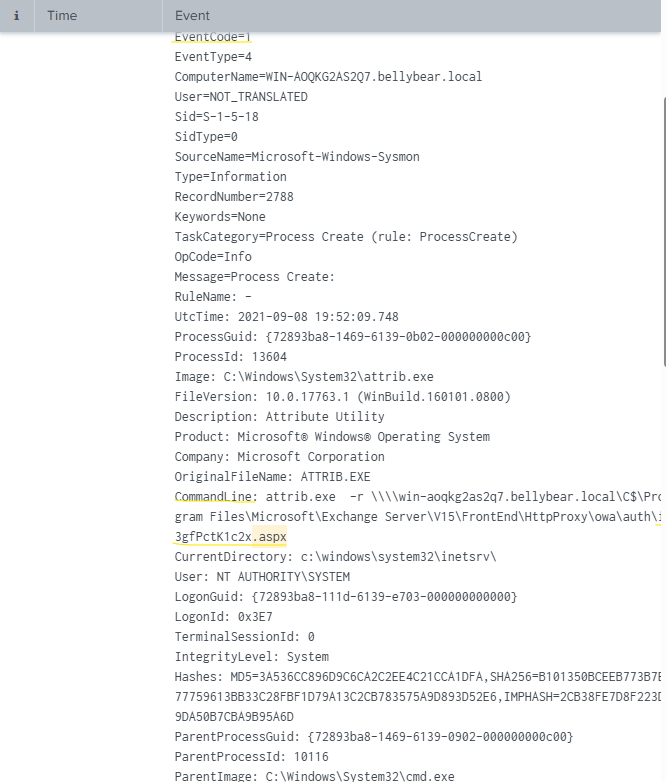
As we can see from the results of my search including .aspx, a process creation was made with a suspicious Command Line field. The attacker is modifying file permissions on the web shell file they dropped: i3gfPctK1c2x.aspx. Answer: i3gfPctK1c2x.aspx
Question 9: What is the command line that executed this web shell?
Easy question here and can be answered through the most recent search based on the CommandLine field. Answer: attrib.exe -r \\\\win-aoqkg2as2q7.bellybear.local\C$\Program Files\Microsoft\Exchange Server\V15\FrontEnd\HttpProxy\owa\auth\i3gfPctK1c2x.aspx
Question 10: What three CVEs did this exploit leverage? Provide the answer in ascending order.
Googled “conti” AND “ransomware” AND “CVE” Answer: CVE-2020-0796,CVE-2018-13374,CVE-2018-13379. Understanding the specific vulnerabilities exploited by Conti ransomware or any other malicious actors and documenting them is essential because it enables organizations to prioritize patching, improve detection capabilities, and even develop response strategies to prevent or minimize the impact of future attacks.
Attack Conclusion:
The attacker demonstrated classic Conti ransomware tactics: initial access through exploited CVEs, lateral movement, credential dumping, persistence via user creation and process migration, and deployment of both ransomware and web shells. Using Splunk and Sysmon allowed for effective identification and mapping of the attack lifecycle, underscoring the value of centralized log analysis and endpoint visibility.
Why It Matters: Conti and other similar ransomware thrive on poor visibility. By learning how to detect these actions in Splunk, blue teamers gain the ability to respond faster, contain sooner, and reduce impact in real-world environments.
Final Thoughts: This room gave me more hands-on exposure to threat hunting using real-world IOCs in a SIEM. It reinforced how Splunk can be used proactively to uncover patterns before they escalate into major incidents. As a future SOC analyst, building this muscle memory now will pay off in real production environments.
Thank you for reading through the writeup & report, I hope you enjoyed! As always, feel free to reach out!
