
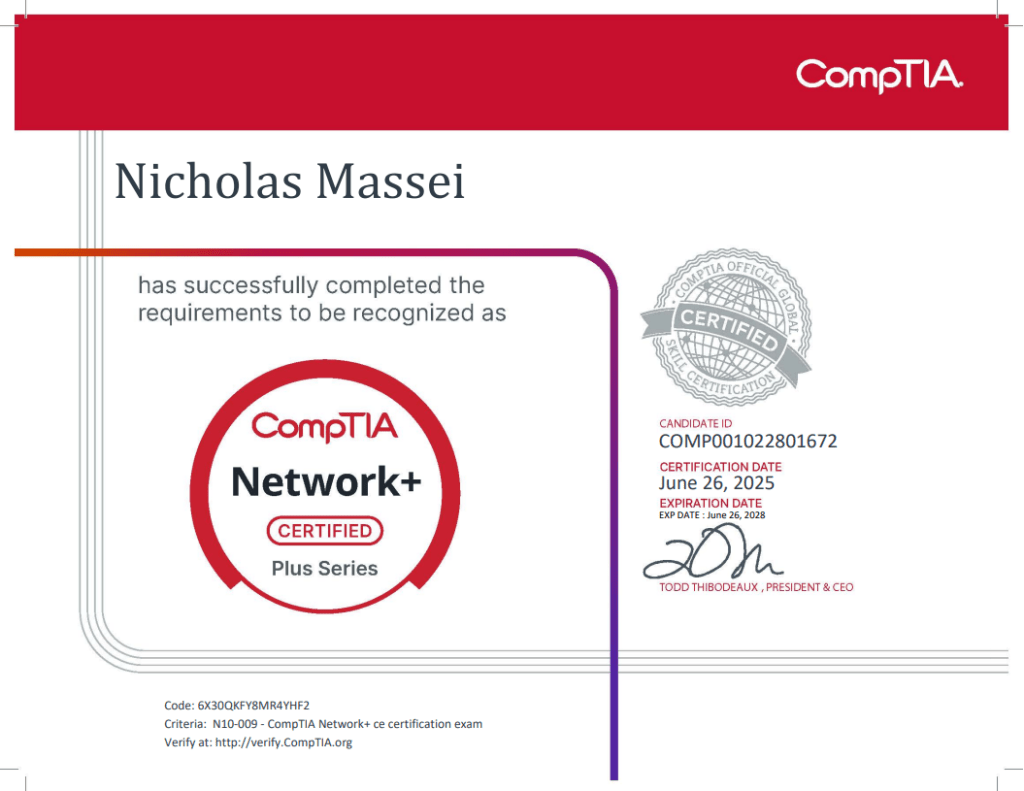

I passed the CompTIA Network+ exam with a 805/900 about a month after earning my Security+ certification — and this time, I approached things with more clarity, more confidence, and a better sense of what works. And similar to the path I took with Security+, this wasn’t about cramming or rushing — it was about showing up consistently, learning from my mistakes, and building a true understanding of the material. While I’ve already shared a step-by-step breakdown for how I approached the Security+ exam, I wanted this post to reflect what was different this time around.
Getting grounded in Networking
Unlike Security+, where I was learning a lot from scratch, Network+ felt more structured. It helped that I already had some exposure to network fundamentals through coursework, labs, and studying for Sec+. Still, this exam goes much deeper, as it’s not just about knowing what an IP address is or how to subnet, it is more about understanding how everything connects, routes, and works together.
Like with any CompTIA exam I have prepared for, I started by watching Professor Messer’s playlist for N10-009. He was my go-to for Security+, and as always, his content delivered. I followed along, took many key notes by hand, and paused often to make sure I really understood concepts like cabling, the OSI model, subnetting, VLANs, etc.
Subnetting, Ports, and Acronyms
For Security+, I picked up acronyms and port numbers along the way. With Network+, it has to be more intentional. There’s more emphasis here on truly understanding how protocols and services interact (such as DHCP, DNS, NAT, and others listed in the exam objectives). I used repetition and wrote things out over and over, and if something didn’t make sense I forced myself to slow down and work through it step by step until it clicked.
Exam Objectives This time around, I made it a point to manually go through the official CompTIA Network+ exam objectives line by line. I treated them like a weekly checklist making sure I could confidently explain each topic or identify anything I hadn’t fully covered yet. It helped me stay focused and avoid wasting time on areas I already understood. This approach gave me a much clearer view of what CompTIA actually expects you to know and made my review and practice exam sessions way more efficient.
Practice Exams
This time, I intentionally diversified more when it came to practice material. And these are the main ones I used:
Andrew Ramdayal’s free test on YouTube: This was the first practice test I completed, and it’s an easy starting point and a great confidence booster to get the ball rolling. It helps you get comfortable seeing terms, acronyms, and other topics in a multiple-choice format. Great low-pressure setting.
Jason Dion’s practice exams: Tougher than the real thing? Definitely, but in a good way. These helped me think more critically about the way questions are asked and also forces you to decipher the tricky wording you will see on the actual exam. I started on Dion’s exams shortly after finishing the Messer playlist and scored “poorly” on most of them (high 60s/low 70s). At first, that stung, however those low scores showed me exactly where I needed to improve. I reviewed every explanation, filled in gaps with my notes, utilized AI to explain content, — such as ChatGPT — and circled back to Messer videos when needed. To jump forward a bit — a few days before the exam, I retook the Dion practice tests to make sure I could score higher than before and, more importantly, to confirm I wasn’t just relying on memorization.
Cyber James’ practice sets: Solid, clean, and honestly closer to the exam’s style — but not difficulty, as James’ practice exams tend to be easier. These helped reinforce knowledge and acronyms without overwhelming me. What really stood out is how well they cover the full range of exam objectives. Unlike Dion’s exams, which tend to skip over a few areas, James’ tests touched on terms and topics I hadn’t seen elsewhere, helping me cover all the ground I needed.
PBQs Studying PBQs for this exam was more challenging, since there’s far less material available compared to Security+. For that reason, ChatGPT became my go-to resource and it was incredibly helpful and interactive. It allowed me to break down concepts, walk through scenarios, and lock in the information in a way that stuck. I went over PBQs such as routing tables, ACL configurations, troubleshooting steps, and command-line familiarity. Surprisingly, I felt super prepared and confident because of this when test day came.
Confidence and Strategy
Something I’ve learned through both certs is that “feeling ready” is an illusion. I didn’t walk into the exam room thinking I knew everything. I just trusted my prep and kept my mindset grounded. With that, I had no different strategies this time around and approached it the same way.
Final Thoughts
If you read my Security+ post, you’ll recognize some of the same habits here, however, Network+ pushed me in new ways. I focused more on application, and emphasized slowing down to build real understanding.
I’m proud of the 805/900, not just because of the number, but because of what it represents: steady growth, more confidence in networking, and a stronger technical base to build on as I move deeper into cybersecurity.
Once again, USE AI. AI tools like ChatGPT were a huge help during studying. For Network+, I used it more for breaking down subnetting, troubleshooting logic, and making sense of PBQs when other explanations didn’t click. It was a fast, reliable way to reinforce concepts in my own words.
Thanks for reading my Network+ journey and I hope it helps with yours. Stay consistent and trust your process. As always, feel free to reach out if you ever want to connect or share progress.
